
Buying Phone Accessories Online in Zambia: 7 Checks Before You Order
Use these seven practical checks to choose compatible phone accessories, understand the listing and confirm your order details before paying.
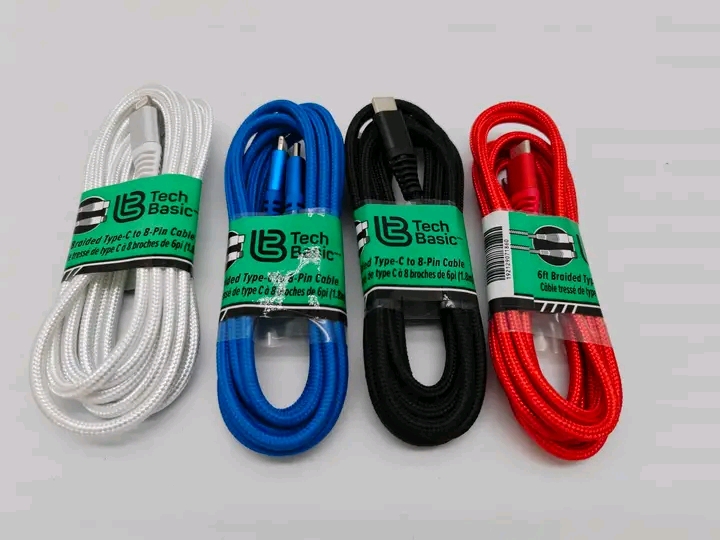
Buying an accessory online can save time, but a good choice starts with more than a picture and a price. Before ordering a charger, cable, case, earphones or power bank, take a moment to check the details below.
1. Confirm your exact phone model
Phone accessories are not always universal. A case made for a similar-looking phone may cover buttons, block a camera or fit poorly. Check your model in your phone's Settings, on the original box, or in the manufacturer's information before choosing a case or screen protector.
2. Check the connector and compatibility
Look at the connection your phone actually uses. USB-C, Lightning and 3.5 mm audio connectors are different, and some phones need a compatible adapter for wired earphones. For chargers and power banks, check that the output and supported charging standards match your device.
3. Read the full product description
Don't rely on the product photo alone. Read the listed features, included items, compatibility notes and any limitations. If something important is unclear, ask the seller to confirm it before you place the order.
4. Compare value—not just the lowest price
A low price is not automatically the best value. Consider whether the accessory fits your needs, its stated features, build details, warranty or return information where offered, and whether the seller can answer questions clearly. Avoid assuming that a product supports fast charging, waterproofing or a particular capacity unless the listing confirms it.
5. Understand the price and delivery details
Before paying, confirm the total amount, delivery or collection arrangements, expected timing and any extra charges. Keep the seller's order confirmation and the details of what you agreed to buy.
6. Use safe payment habits
Use the seller's stated payment process and verify the recipient before sending money. Never share your PIN, password or one-time verification code with someone claiming they need it to complete an order. Be cautious of unexpected payment instructions or pressure to pay immediately.
7. Check the item when it arrives
Compare the item with your order and inspect it for visible damage or missing parts. Test it carefully according to the manufacturer's instructions. Stop using a charger, cable or power bank that becomes unusually hot, smells burnt, has exposed wires or appears damaged, and contact the seller about the issue.
A simple checklist before you order
- [ ] I confirmed my phone model and connector.
- [ ] I read the product description and checked compatibility.
- [ ] I understand the total price and delivery or collection plan.
- [ ] I know how to contact the seller if there is a problem.
- [ ] I have not shared my PIN, password or verification code.
Shop with the details in mind
PhoneYa2's catalogue includes phone accessories across different categories, and product availability can change. Read each listing carefully and ask for clarification if you are unsure whether an item fits your device.
Ready to compare options? Browse PhoneYa2 products.
Prepared by the PhoneYa2 Editorial Team. Always follow your device manufacturer's safety and compatibility guidance.